It isn't pretty, but it explains how to join. Do not worry, I'm working on it!!
Get Started!
Welcome into this first guide, we will help new members login into the server.
Everyone can connect to the Distinct Errors SMP. Bedrock and Java!
Connecting into the Java edition.
Connecting using the Java edition is easy!
1. Start your game!
The current version is: 1.21.11. 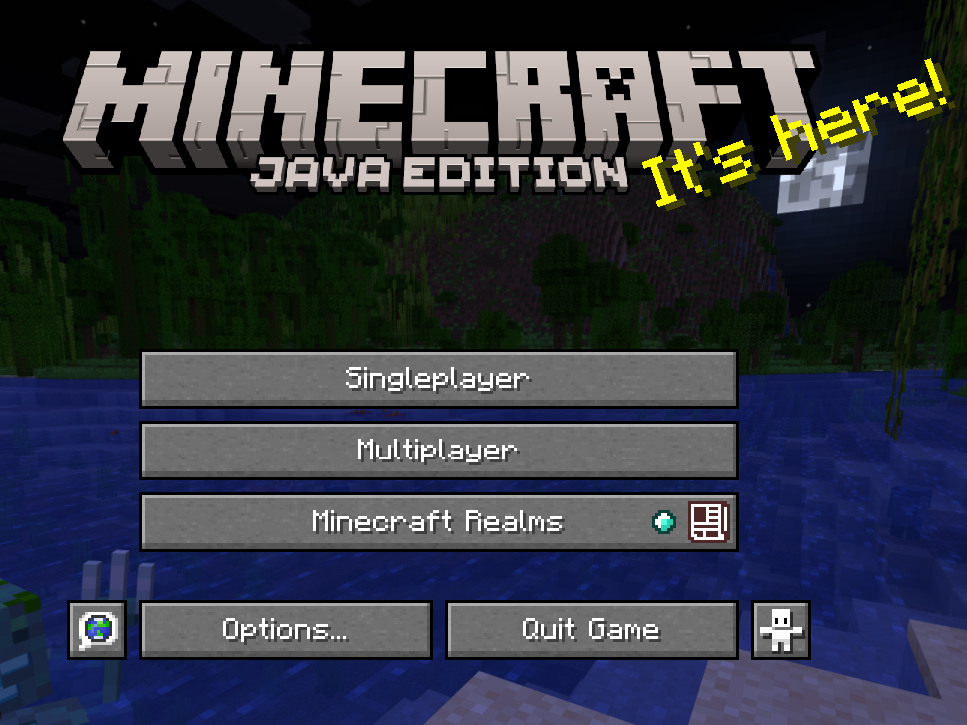
2. Click "Multiplayer"
This menu should appear!
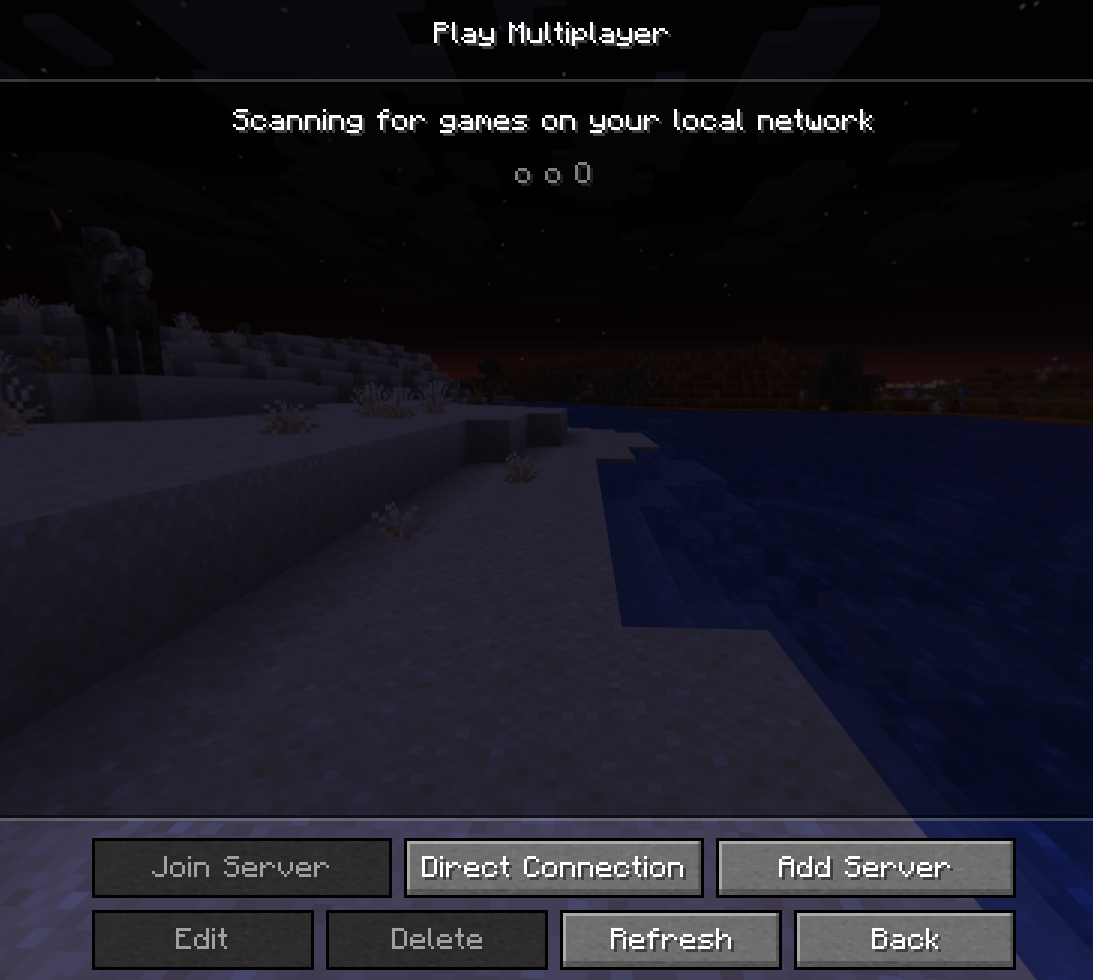
3. "Add server"
When clicked, it brings you here!
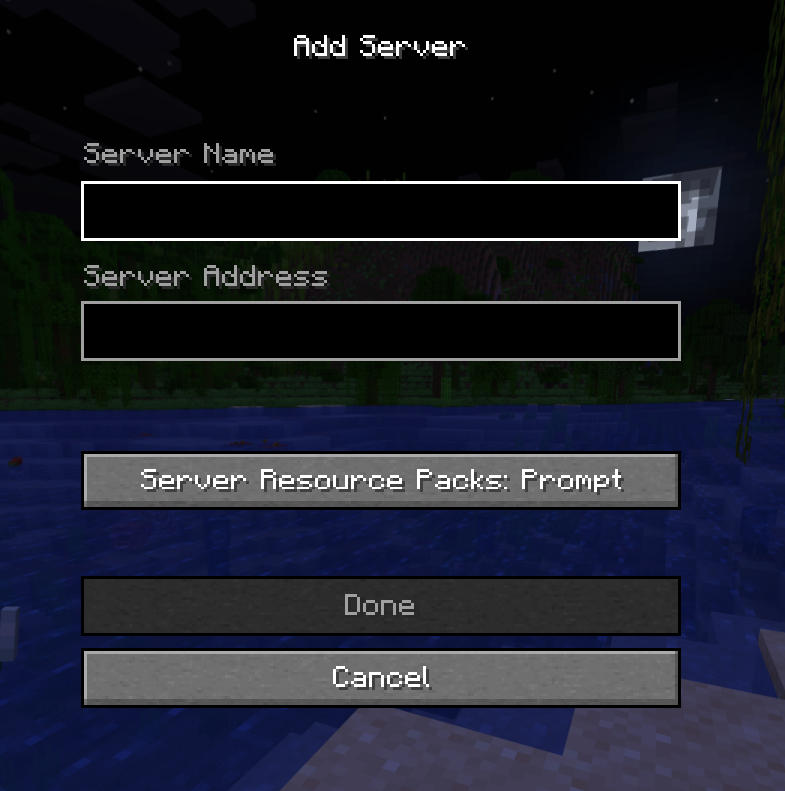
You can enter any server name you want, as it is mainly used for you to stay organized.
You need to enter the following string into Server Address:
smp.distinct-errors.fr
Is advised for Server Resources Packs to stay in "Prompt" or "Enabled".
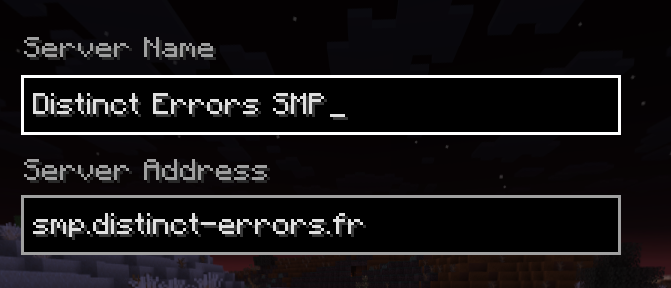
example
4. Click "Done" and voila! 🎊
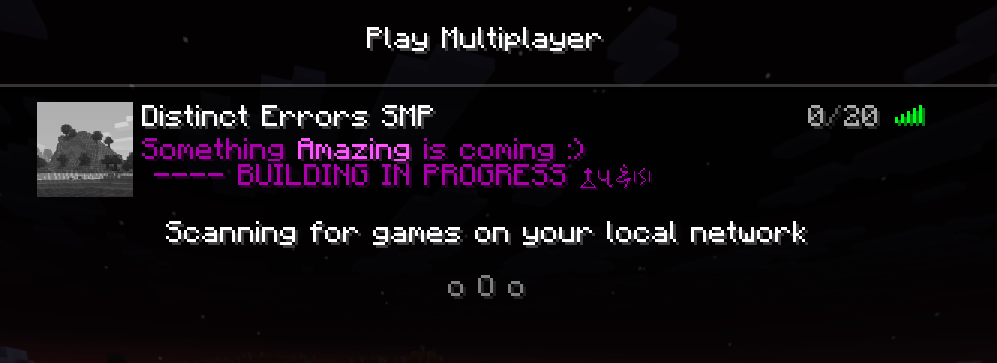
5. Don't forget to register!
Once you join the server for the first time, you will be asked to do the command /register <password>.
Since the server is allowed to cracked version, anyone can choose the nickname they want. We have decided to add a password system to counter unwanted login from strangers.
Once you log in, decide a strong password between 6–18 characters.
You can now check Origins before connecting.
Can't connect? Check Troubleshoot.
Connecting with the Bedrock edition:
Bedrock, while not be FULLY supported, can join through 2 methods, mainly depending their platforms:
For All the versions of Bedrock, you are required to have a XBOX LIVE account. Without it, you won't be able to play online.
1. For PC, Mobile.
You may just enter the IP address as indicated below:
1. Start your game!
Current version is : 26.1
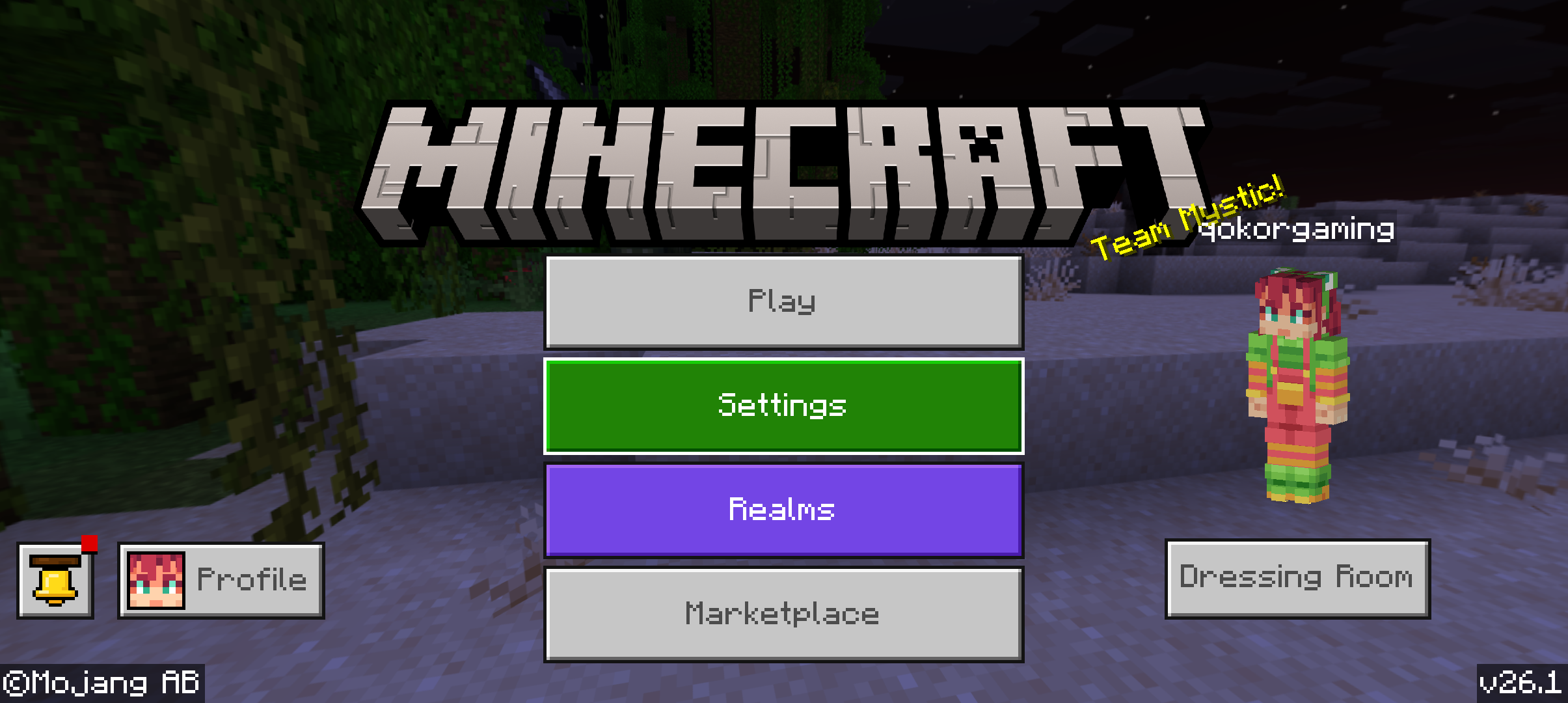
2. Click “Play” then “Servers”

3. Once in this, “Add server”
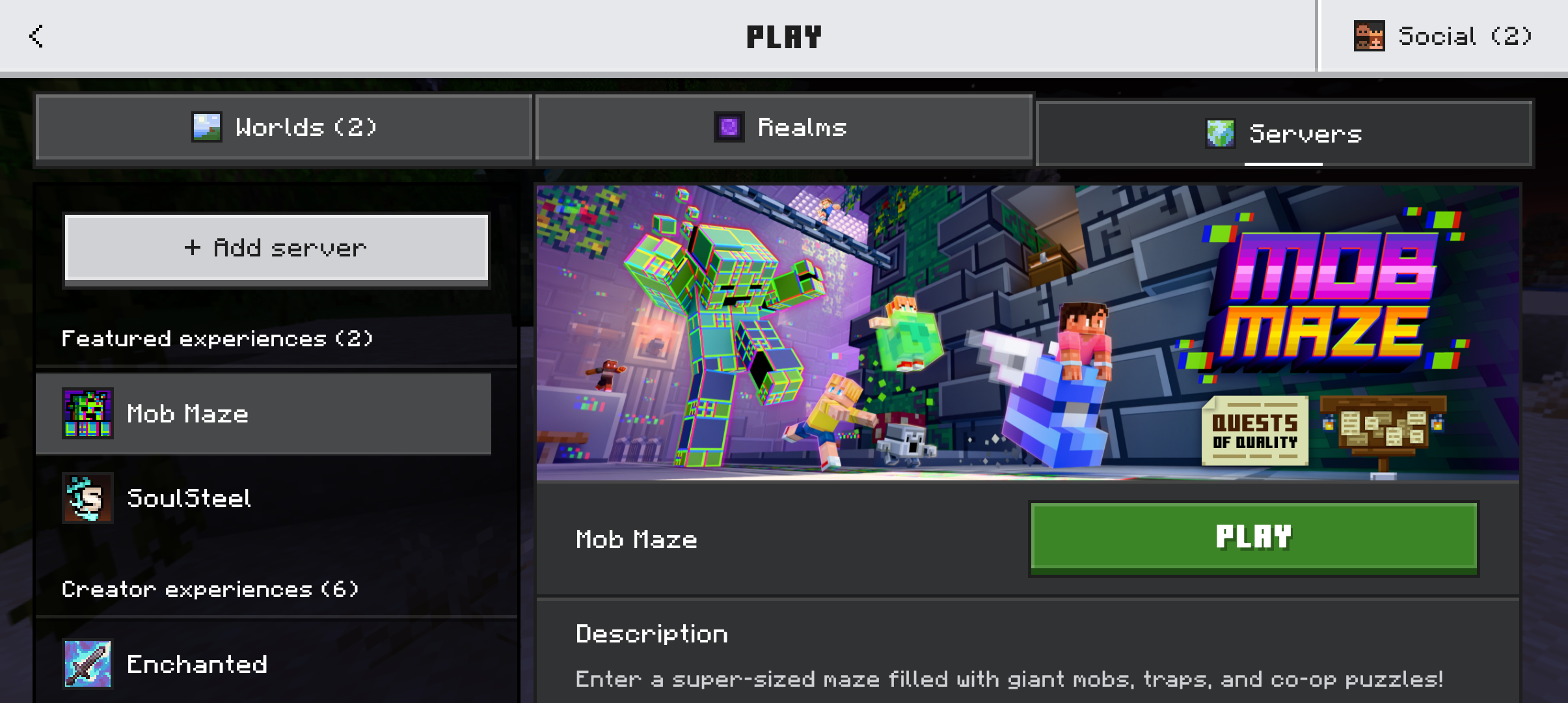
This should bring you here!
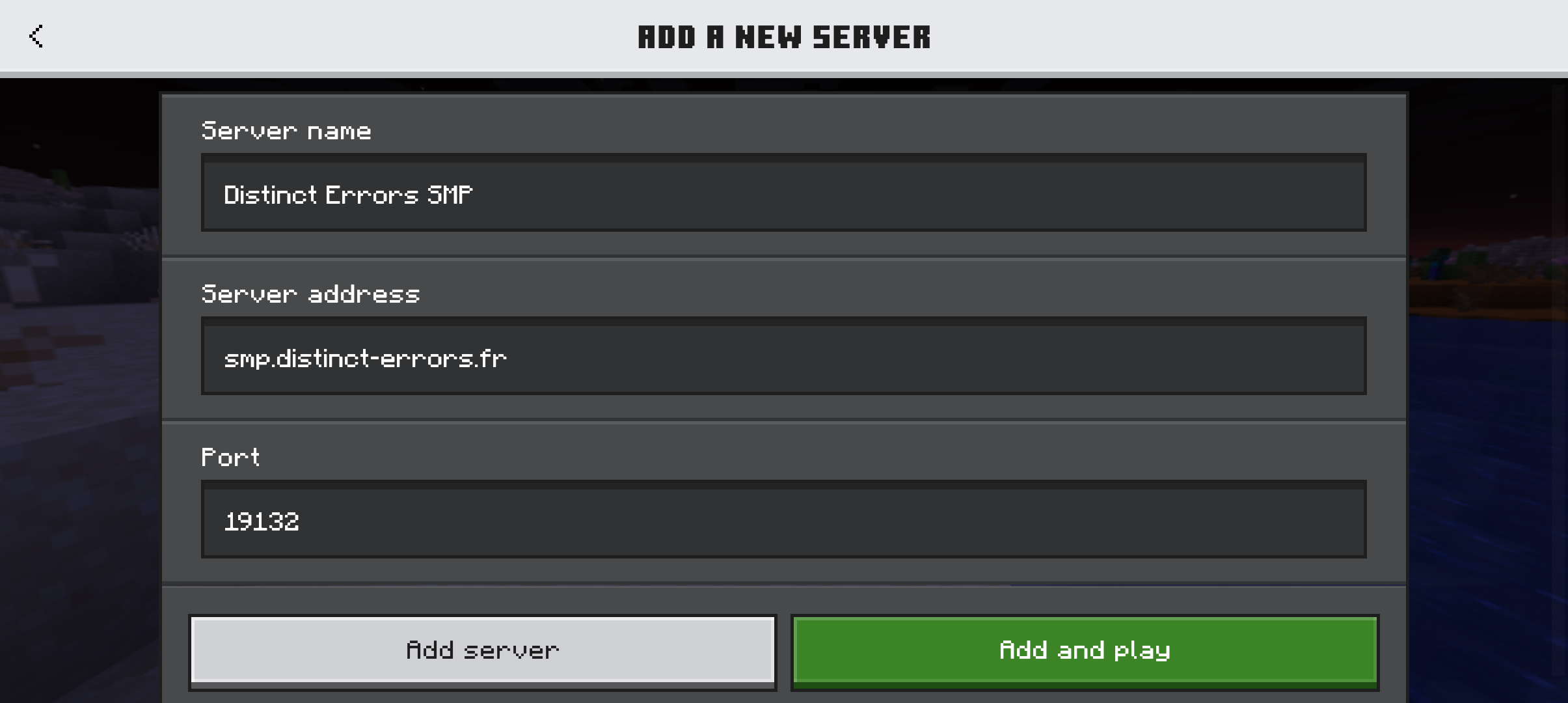
You can enter any server name you want, as it is mainly used for you to stay organized.
You need to enter the following string into Server Address:
smp.distinct-errors.fr
And you must KEEP the port as:
19132
4. Click “Done” and voilà! 🎊
5. Don't forget to register!
Once you join the server for the first time, you will be asked to do the command /register <password>.
Since the server is allowed to cracked version, anyone can choose the nickname they want. We have decided to add a password system to counter unwanted login from strangers.
Once you log in, decide a strong password between 6–18 characters.
You can now check Origins before connecting.
Can't connect? Check Troubleshoot.
2. Connecting on consoles, etc...
Microsoft (without disrespecting them) thought it would be a good idea to not let console players use custom IP addresses.
BUT! We have a small workaround.
All you have to do is to go to the “Social” tab, and add:
DistErrSMP
as a friend. Once you are accepted, you will be able to join the server by the “Worlds” tab.
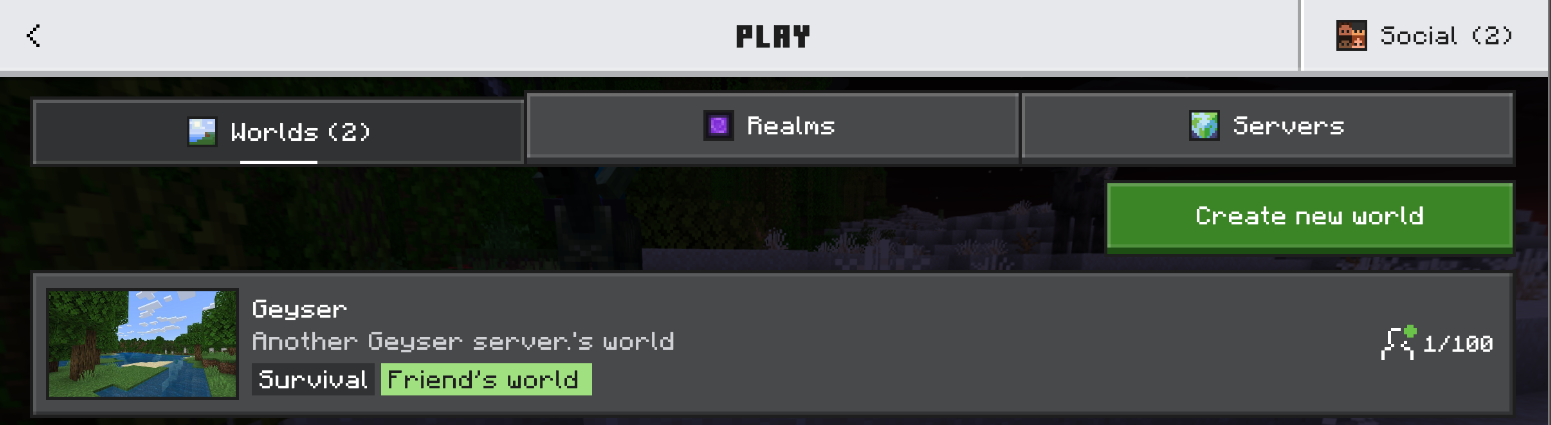
The thing has been tested and works. We are still working on displaying the right infos on it. So don't fret if the Friend's world isn't named "Distinct Errors SMP" for now, it's still a WIP.
Don't forget to register!
Once you join the server for the first time, you will be asked to do the command /register <password>.
Since the server is allowed to cracked version, anyone can choose the nickname they want. We have decided to add a password system to counter unwanted login from strangers.
Once you log in, decide a strong password between 6–18 characters.
You can now check Origins before connecting.
Can't connect? Check Troubleshoot.